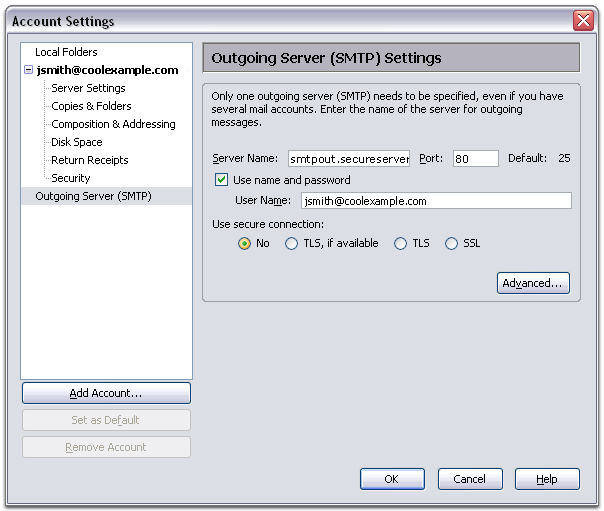
You will first need your email address, password, and Internet Service Provider Out Going settings.
Setting Up Your E-mail in Mozilla Thunderbird
This tutorial will help you set up the Mozilla Thunderbird e-mail program to check your e-mails.
To Set Up Your E-mail Account in Mozilla Thunderbird
-
In Mozilla Thunderbird, select Tools > Account Settings.

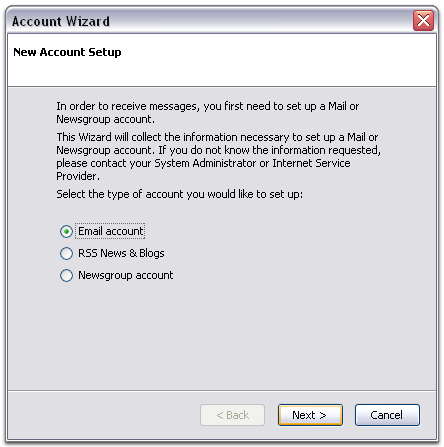
- Select "Email account " and click Next.
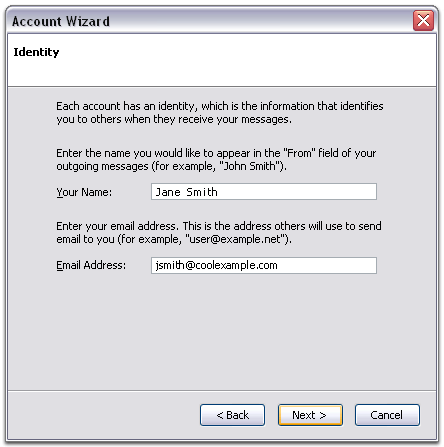
- Enter your name and e-mail address.
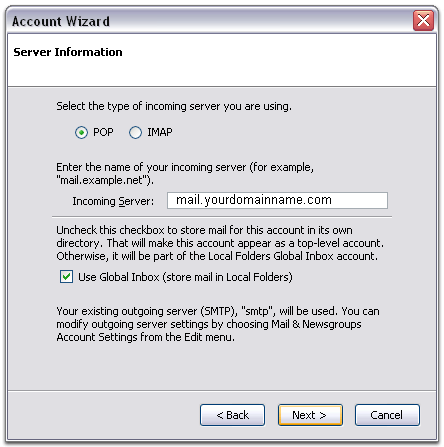
- Select "POP" as the type of incoming server you are using. Your incoming server is mail.mydomain.com, where "mydomain.com" is the name of your domain. Click Next.
- Enter your e-mail address for the "Incoming User Name," and "Outgoing User Name." Click Next.

- Enter a name for your e-mail account and click Next.
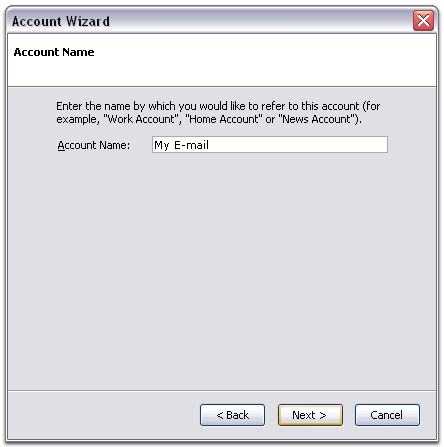
- Verify your account information and click Finish.
- In the Account Settings window, select "Outgoing Server" listed below your new account.
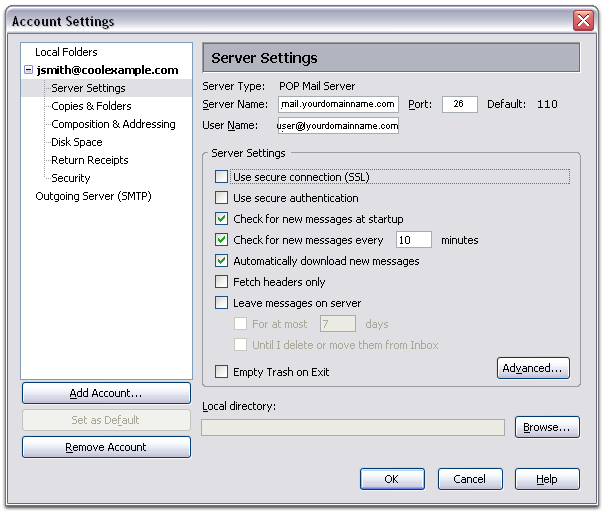
- Enter "mail.yourdomain.com" for the "Server Name" and change the "Port" setting to 26.
- Select "Use name and password"
and enter your e-mail address. Thunderbird will ask you for your
password the first time you try to send mail. Click OK.